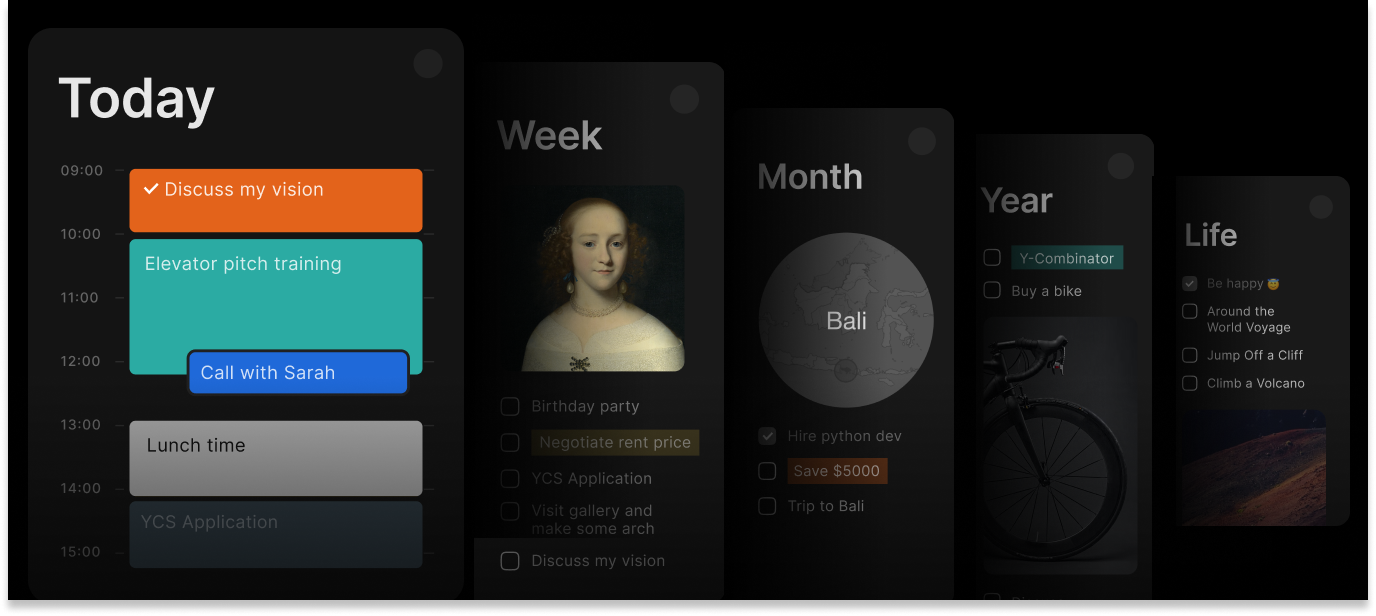
Teamwork depends on shared context—yet that context usually lives scattered across meetings, chats, and calendars. You can bring AI agents to Timestripe so that scattered context becomes structured work: captured, owned, and kept up to date. Whether you work with Claude, Codex, OpenCode, Cursor, Zapier, or n8n, connecting them via API or CLI lets you manage tasks and sync updates without doing it all by hand.
How It Works: AI Coordinates, Timestripe Aligns, You Decide The AI agent acts as your project coordinator: gathering context, drafting plans, tracking progress and risks, and automating updates.
Timestripe serves as the source of truth: keeping the team aligned on what matters, why it matters, and who owns it.
You remain the strategist: setting priorities, making decisions, and approving key changes.
Here’s how different teams can use Timestripe with AI in day-to-day work.
Connect AI with your team’s plan
Keep agent-created tasks and updates visible, owned, and aligned in Timestripe
Project Management Turn scattered inputs into structured project work Ask your agent to analyze meeting notes, chat threads, emails, forms, and files. It extracts decisions, requirements, and open questions, then creates or updates tasks with dates, owners, and source links.
Convert goals and briefs into actionable project plans Give the agent a strategic objective, product brief, or launch idea. It drafts a step-by-step plan with milestones, sequenced tasks, and dates. Then the team reviews the proposed structure before linking it to the long-term roadmap and starting execution.
Keep project coordination current with less manual follow-up Before meetings and planning sessions, ask your agent to review recent activity, approaching deadlines, open comments, and blocked work. It prepares your agenda, highlights near-term priorities, and updates tasks so the team's plan stays current.
Recreate repeatable workflows without rebuilding them manually Give your agent a saved playbook or a past project to copy. It creates the boards, stages, tasks, and assignments in Timestripe—ready to run again.
Protect team capacity by identifying scheduling conflicts early Ask your agent to compare dated Timestripe tasks with meetings, leave requests, staffing plans, and delivery schedules. It flags overloaded periods, missing coverage, and overlapping commitments, and suggests where to rebalance before the project slips.
Turn project activity into clear progress reports Whether you need a weekly status update or a quarterly review, your agent pulls completed tasks, open work, comments, and activity events. It organizes the data by project or team member, highlights outcomes and blockers, and links each conclusion back to the underlying work.
Identify delivery risks before they slow the team Set your agent to scan open tasks for missing owners, overdue work, likely duplicates, and uneven workloads on a regular cadence. It gathers these findings into a clean review queue, so you can adjust assignments, schedules, or scope before deadlines slip.
Improve future delivery with evidence-based retrospectives Instead of relying on memory, your agent drafts project retrospectives from planned outcomes, completed tasks, comments, and activity history. It highlights delivered results, surfaces recurring blockers, identifies process friction, and proposes structural improvements for the team to discuss.
Engineering Create tasks from the terminal without switching context Stay focused in your development environment. Use the Timestripe CLI to create tasks, attach technical context, set due dates, and log code blockers directly from the command line as you work.
Turn incidents and security findings into prioritized work Pipe reports from monitoring, dependency, and code-quality tools to your agent via Zapier, n8n, or similar webhooks and scheduled workflows. It removes duplicates, groups related issues, attaches relevant logs and links, and creates prioritized remediation tasks for engineering review.
Keep code changes and project tasks in sync Connect GitHub, GitLab, or internal git workflows to your agent via Zapier, n8n, or similar automation. It matches commits and pull requests to Timestripe tasks, adds review links, updates delivery stages, and marks milestones complete.
Generate release notes and post-deployment checks After a successful deployment, your agent turns the relevant commit history into a plain-language summary, adds it to the release task or a comment, and creates sub-tasks for post-deployment validation.
Prioritize technical debt using code and incident history Your agent reviews repository activity, past bugs, and production incidents to decide what to refactor. It flags frequently changed components tied to recurring failures and produces a focused review list in Timestripe—so technical debt isn’t prioritized by intuition alone.
Sales & Account Management Prepare prospect research before introductory calls When a qualified lead books a meeting, your CRM or scheduling automation triggers your agent to research approved public sources and internal records. It builds a concise pre-call brief in Timestripe covering company context, likely needs, and specific questions worth asking.
Start delivery as soon as a deal closes When a deal reaches closed-won, your CRM workflow triggers the agent to set up delivery in Timestripe from your standard playbook. It populates milestones, schedules the first action items, assigns tasks to project owners, and attaches a direct link to the original contract.
Flag stalled deals before the quarter ends On a schedule set in your CRM or workflow automation, your agent reviews CRM activity and flags deals with no meaningful progress for a defined period. It creates a leadership review list in Timestripe with the last interaction, current blocker, and evidence-based re-engagement options.
Coordinate contract approvals without status-chasing When a deal requires custom terms, your CRM workflow triggers the agent to generate cross-departmental review tasks in Timestripe. It monitors task status across finance and legal, and updates the seller’s task when all required approvals are recorded.
Support & Customer Success Escalate technical issues with the context that engineering needs When a ticket is classified as a technical bug, your helpdesk or automation layer—such as Zendesk, Intercom, Zapier, or n8n—triggers the agent. It summarizes the problem, includes environment details and logs, links to the original conversation, and creates a triage task in Timestripe for engineering.
Turn resolved cases into reusable support guides When a ticket is resolved, your helpdesk or automation layer triggers the agent to turn the conversation into a step-by-step internal guide. It stores the guide in a Timestripe task description or attachment and files it in your shared support space for the team to reuse.
Convert recurring complaints into a product review list Each week, your helpdesk or automation layer triggers the agent to group common frustrations and bugs from closed support conversations. It builds a prioritized review queue inside Timestripe, highlighting complaint frequency, estimated impact, and direct links to representative cases.
Route high-value account issues to the right owner When a new ticket arrives, your helpdesk or automation layer triggers the agent to cross-reference it with CRM account data. If the issue affects a strategic customer, it creates an urgent follow-up task in Timestripe for the responsible success manager—with ticket and account context included.
Identify documentation gaps from repeated questions Set your agent to regularly cross-reference support queries with your existing help-center content. When the same questions surge without a clear public answer, it creates a documentation task in Timestripe—naming the missing topic and attaching raw examples of customer confusion.
Marketing & Content Turn one source asset into a multi-channel distribution plan Give your agent a blog post, video script, or whitepaper. It drafts channel-specific copy, creates channel tasks for social posts, email, and newsletter—then schedules them in Timestripe and links each one back to the original asset.
Group customer feedback into usable campaign themes Set your agent to regularly analyze reviews, public comments, and feedback forms. It groups recurring pain points and your customers' exact language into themes, then creates research tasks and campaign ideas in Timestripe—with links to supporting examples.
Launch repeatable campaigns from a short brief Give your agent the campaign type, audience, and launch date. It recreates your campaign playbook in Timestripe—tasks for landing pages, creative assets, promotion, and follow-up—and schedules deadlines backward from launch.
Summarize advertising performance for weekly decisions Each week, Zapier, n8n, or a similar automation pulls data from platforms like Google Ads, Meta, or HubSpot. The agent highlights critical trends and performance shifts, includes links to the active campaigns, and adds the summary to a Timestripe task or comment for team review.
Move approved copy into the design queue with full context On a schedule, Zapier, n8n, or a similar automation checks Timestripe for copy tasks in the agreed “ready for design” stage and triggers your agent. The agent extracts the required messaging and formats, creates linked design tasks, and keeps writers and designers aligned without manual handoffs.
July 23