Marketing Team Productivity: How Timestripe Simplifies What Wrike Overcomplicated
Both Timestripe and Wrike are designed to streamline project and task management, but each comes with its own approach. Timestripe is all about visualizing long-term goals and daily planning with a simple interface, while Wrike is a comprehensive, feature-rich tool tailored for larger teams with complex workflows. Let’s dive into the key differences between these two platforms.
Task Management & Organization
Timestripe
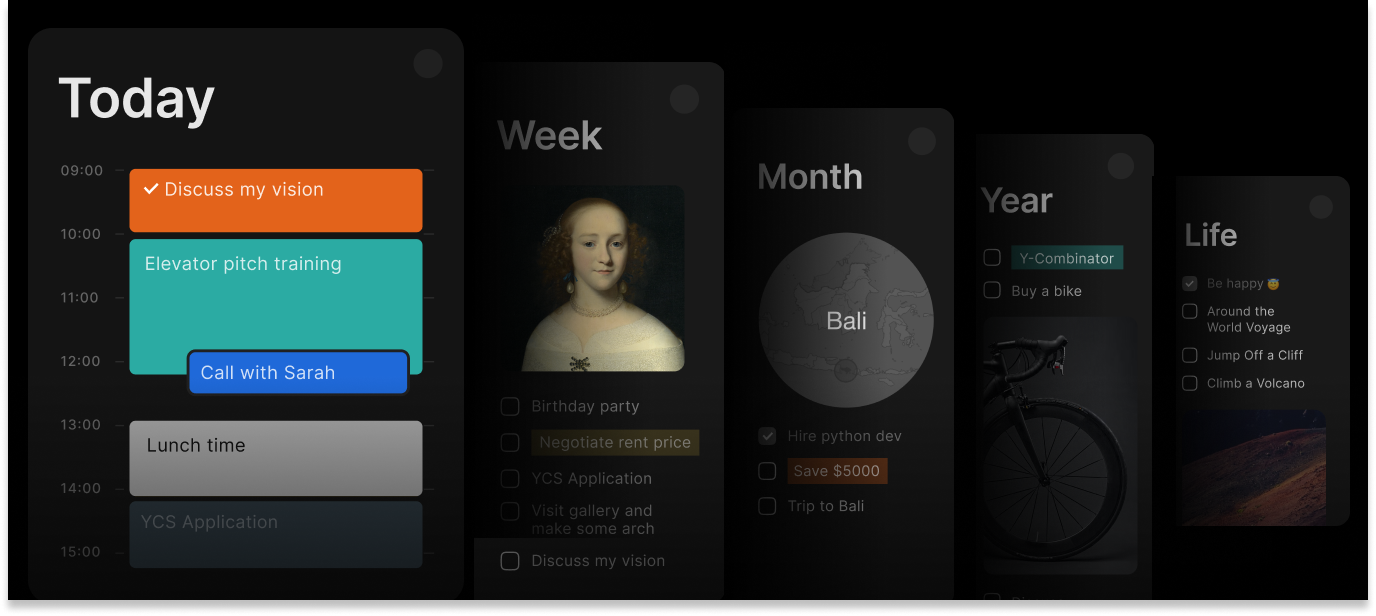
Horizons System. Organize tasks across daily, weekly, monthly, and yearly views
Goal-Oriented Planning. Tasks are linked to short-term and long-term goals, keeping the big picture in mind
Flexible Task Scheduling. Assign tasks to any timeframe — day, week, month, or quarter—to plan ahead effectively
Progress Tracking. Monitor how tasks contribute to overall progress in the Progress Center
Time Blocking. Schedule specific blocks of time to visually plan your day with dedicated focus periods
Wrike
Wrike offers highly customizable project management options. Tasks can be organized by folders, lists, and custom workflows.
Ideal for teams with varied project types, offering in-depth task tracking, task dependencies, and automated workflows.
Advanced reporting features help monitor project progress and team performance with ease.
Collaboration Features
Timestripe
Shared Workspaces. Teams can collaborate in Spaces, assign tasks, and track updates
Task Comments & Mentions. Keep communication within tasks for better context
Progress Center. See real-time updates on tasks and projects
Team view. Organizes work items by team member, allowing everyone to see who’s responsible for what tasks across different projects and timeframes
Wrike
Real-time collaboration. Makes it easy for teams to work on shared files and track changes
Internal process organization. You can leave comments, assign tasks to specific team members, and set up approval processes
Strong integration Chain. Designed to fit into corporate IT stacks, which makes it a better match for large enterprises with many interconnected tools
User Experience & Design
Timestripe
The interface focuses on clarity, showing only what you need at the moment. It’s easy to get started and doesn’t overwhelm you with complex options — perfect for deep work and strategic planning.
Wrike
Offers a comprehensive yet complex interface. Its dashboard is packed with features like Gantt charts, time tracking, and custom reporting. While powerful, it can be overwhelming for new users or those looking for a simpler experience
Unique Features
Timestripe
✔️ Horizons for Strategic Planning — View tasks across different timeframes (day, week, month, year).
✔️ Goal-Driven Organization — Connect tasks to long-term ambitions.
✔️ Helicopter Calendar View — See upcoming plans and goals in a structured timeline.
✔️ Progress Center — Track updates and changes across tasks in real time.
Wrike
✔️ Task dependencies to map out project timelines and critical paths.
✔️ Document management for storing and collaborating on files directly within tasks.
✔️ Advanced reporting and analytics to track performance and identify bottlenecks.
Pricing
Timestripe
- Free Plan: Includes basic task management, goal setting, and limited lists.
- Pro Plan: $9/month, which unlocks premium features like unlimited lists, up to 100 MB per file and rich customization.
- 5-Year Plan: This plan is $6.5/month, user saves 67% in the end.
P.S. You can get 50% off with our Get a Discount program
Wrike
- Free version limiting key features
- Small teams 10$ monthly per user
- Business plan 25$ per user per month
Final Thoughts
Choose Timestripe if you’re looking for a tool that combines simplicity with strategic planning. It combines strategic long-term planning with powerful collaboration tools like Spaces, Team View, and the Progress Center, making it equally effective for personal use and large teams that want clarity and focus without the clutter.
Go with Wrike if you need a complex tool for managing various kinds of projects. It offers extensive integrations and detailed project tracking suited for enterprise-level needs, but its complexity can slow down smaller or fast-moving teams.
Read next