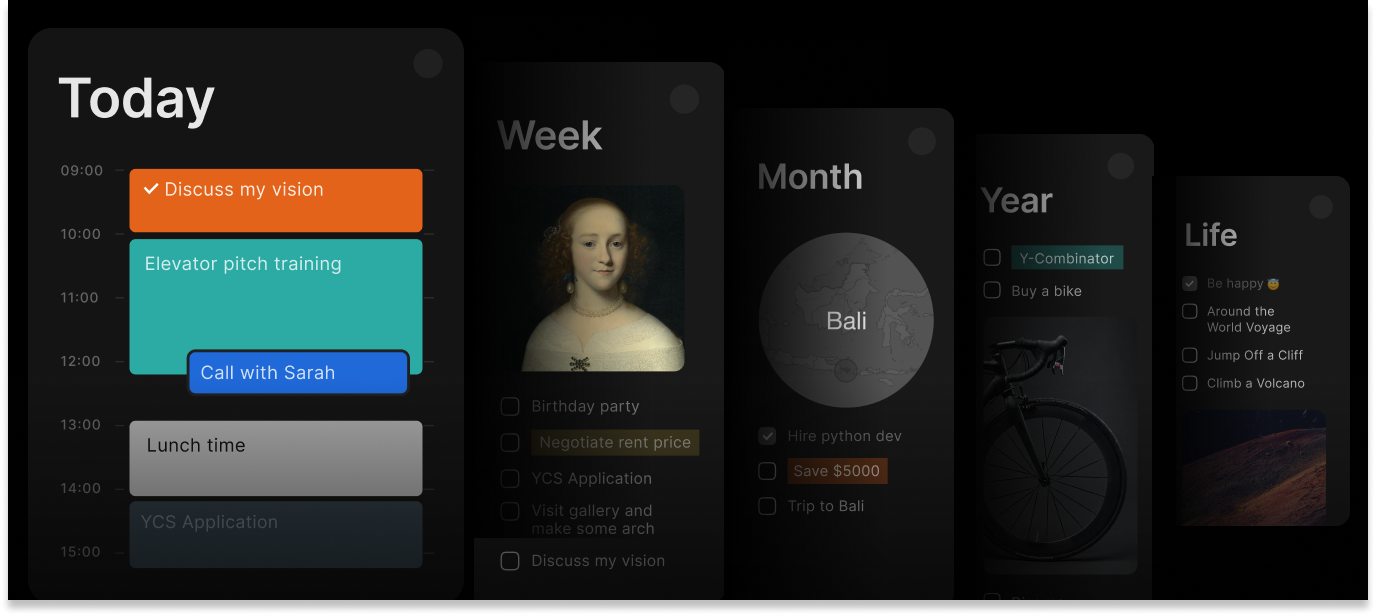
What if you could plan smarter, stay focused, and achieve more – in both work and life?
Timestripe app goes beyond ordinary to-do lists, helping you turn big ambitions into clear, actionable plans. And with 7 powerful new features, it's now easier than ever to organize projects, see the bigger picture, and make meaningful progress. Discover what's new – and give your goals a better way forward...
1. Meet Split View – a smarter way to navigate your goals
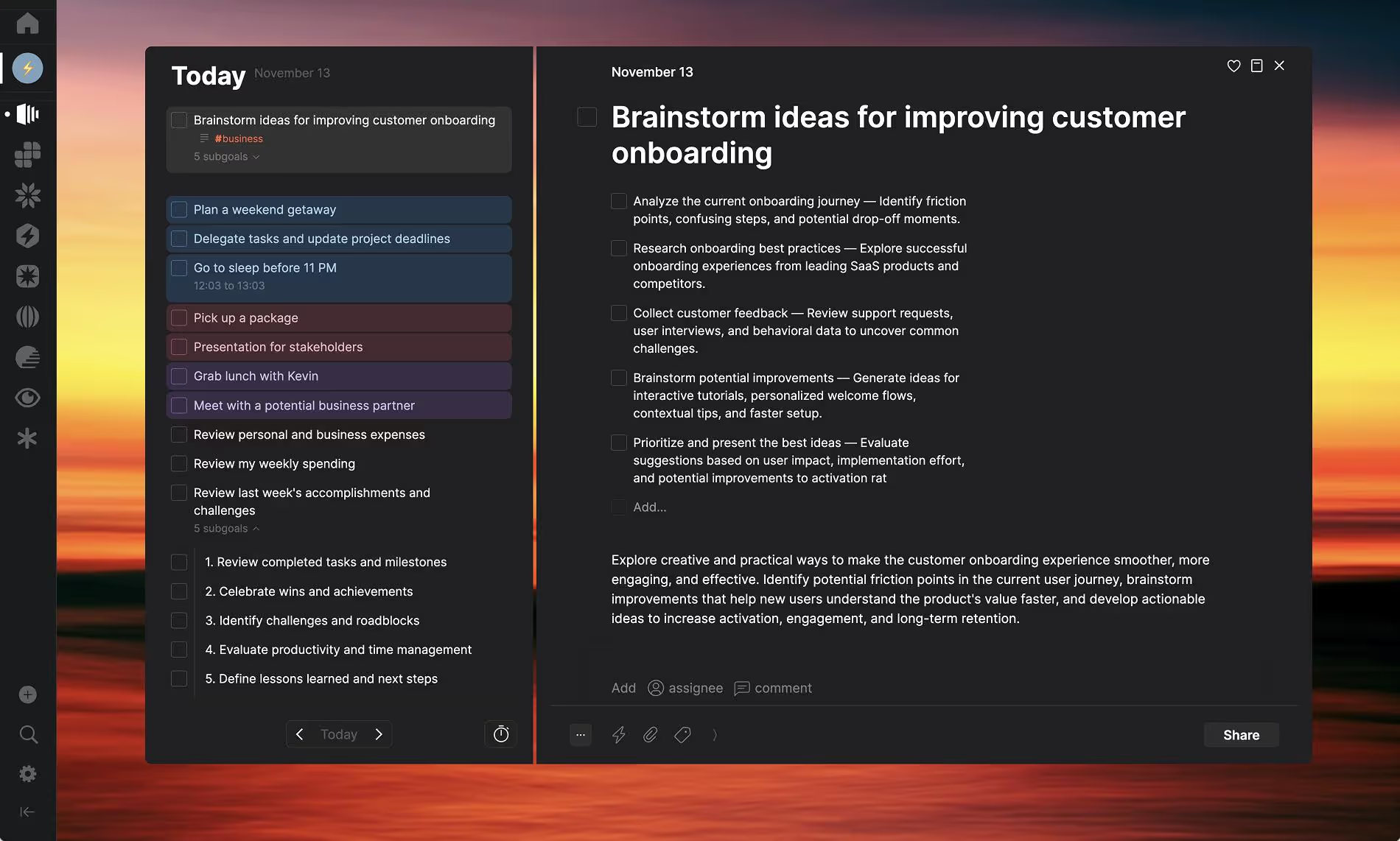
No more jumping back and forth between goals! The new Split View lets you see your task list on the left and the selected goal's details on the right. Switch between goals with just one click, keep everything in sight, and enjoy a smoother planning experience.
What sets Timestripe apart from most other productivity apps is its ability to create deeply nested task structures, organizing goals and tasks within one another. This gives you exceptional flexibility to plan and manage anything from simple to-do lists to complex, multi-layered projects with extensive supporting materials.
Try Split View →2. Organize subgoals with ease
Meet the new Drag-and-drop engine! Move subgoals between different goals and Horizons in a single motion. Restructure complex projects, adjust your plans, and keep everything organized with just a few simple drags.
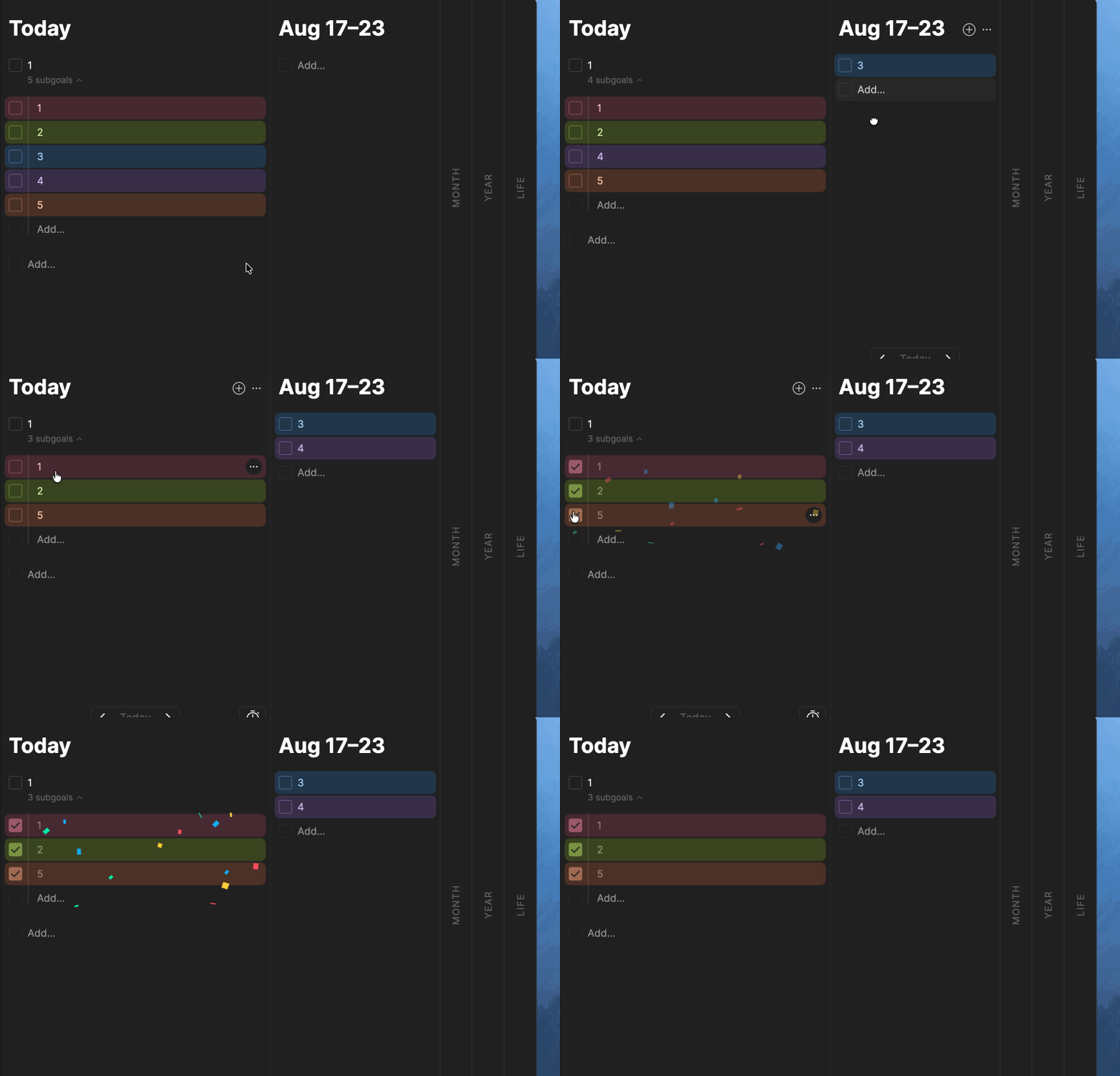
And there's more! The new Drag-and-drop engine also lets you move goals between lists and your daily schedule. Just grab a goal from your Horizons and drop it onto a time slot. Boom – it's scheduled!
3. All-day events finally have their own space
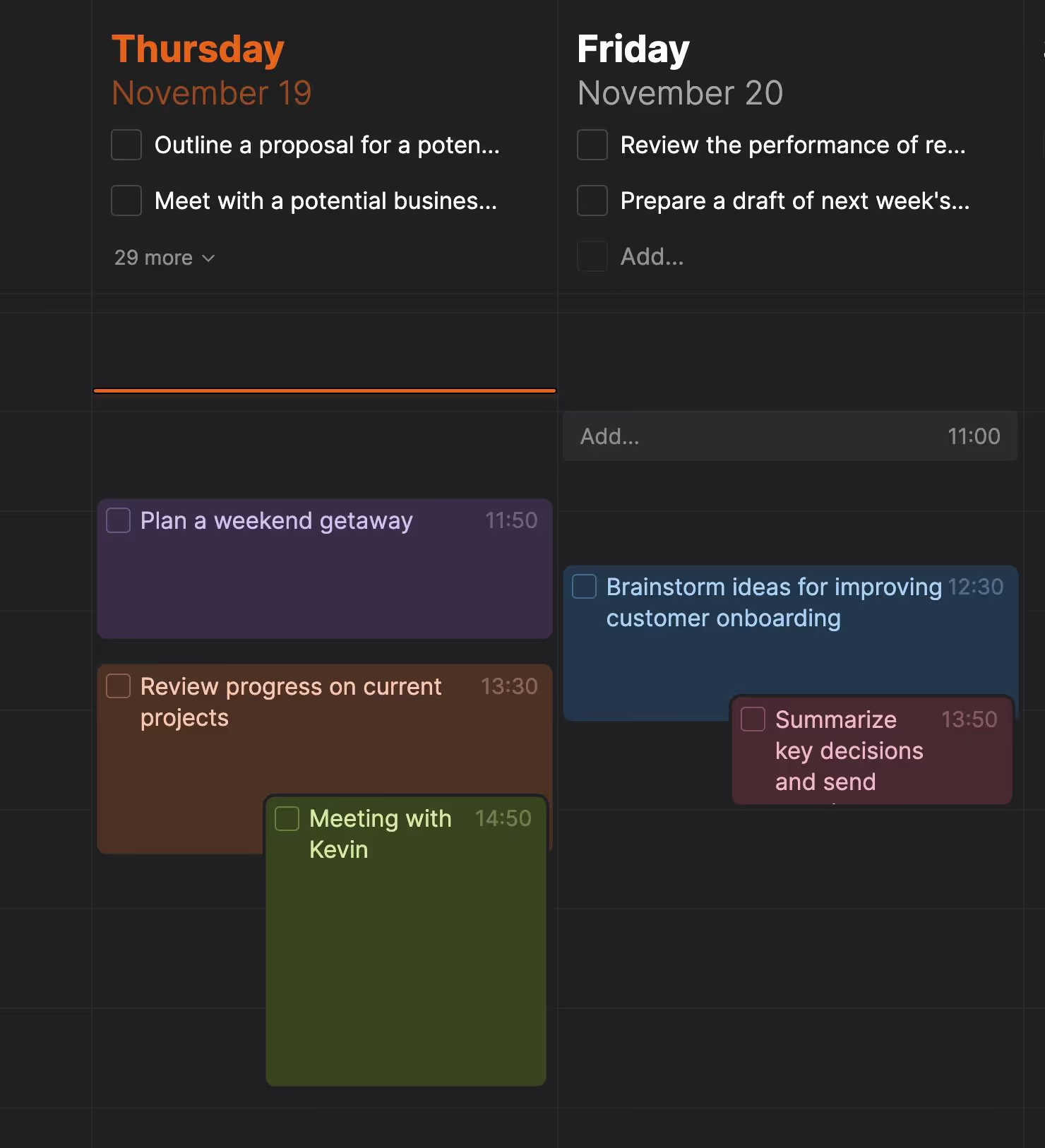
No more mixing all-day plans with hourly tasks. All-day events now sit neatly at the top of your calendar, leaving the timeline dedicated for actual timeblocking.
4. Timestripe speaks your language
Timestripe is now available in 11 languages! From Spanish and French to Japanese and Korean, you can enjoy planning in the language you feel most comfortable with. Just visit Settings to switch.
5. All your projects. One dashboard
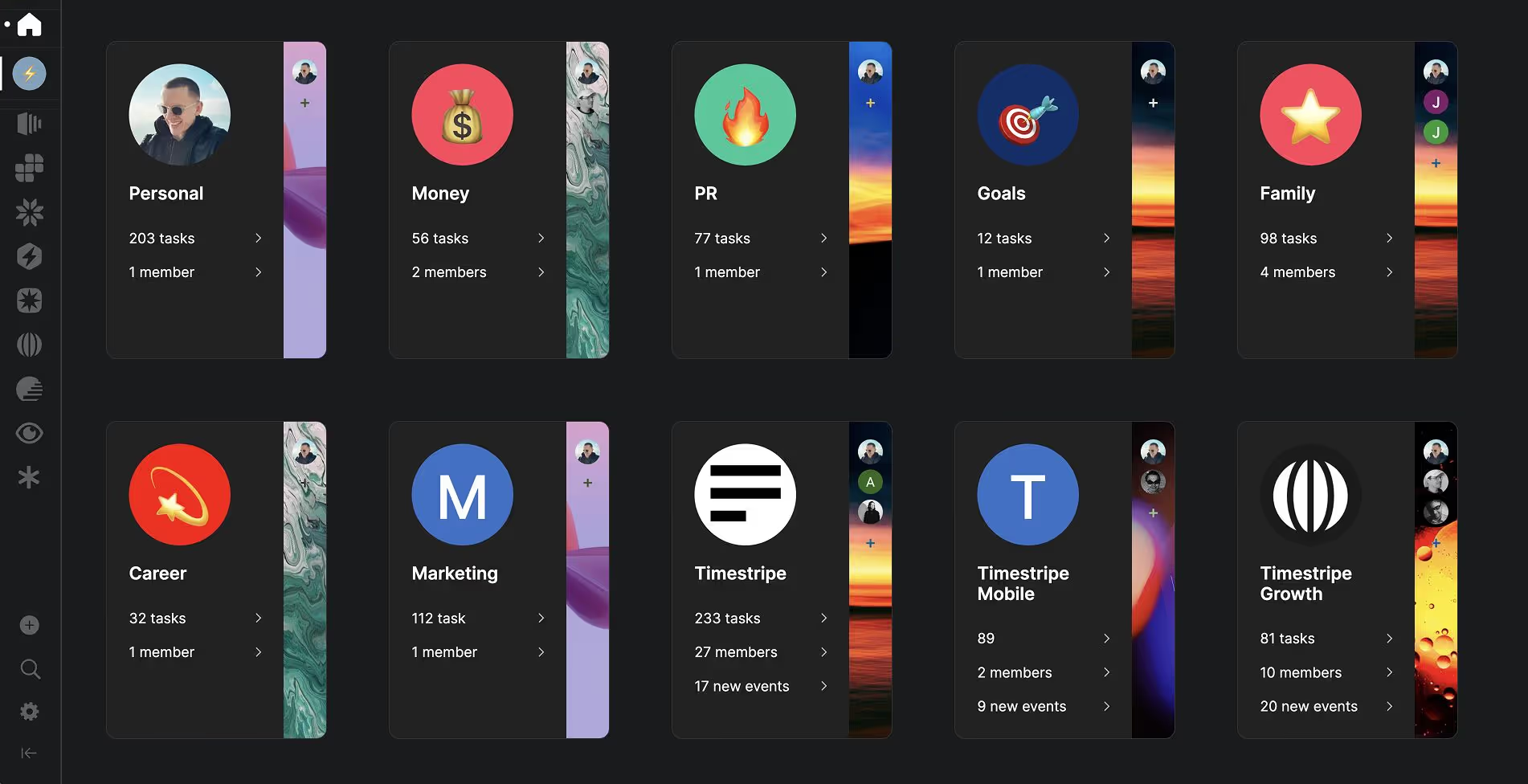
Meet the new Spaces Dashboard – your command center for collaborative projects. Jump between Spaces, access settings, and invite teammates without digging through menus.
6. Let AI help plan your week
Did you know you can connect Timestripe to AI agents? Ask your assistant to organize your week, rearrange goals, or help build a realistic schedule. Try this: copy the prompt below and paste it into Claude Code, Cursor, or any other AI agent to set up the Timestripe MCP server.
7. Draw time blocks
Here's a little time-saving trick: press and drag directly on your calendar to create a time block. No extra clicks or menus. Just draw the time you need.
We've been working hard to make Timestripe more flexible, powerful, and enjoyable to use. And there's plenty more on the way. I hope you'll enjoy the updates.
Wishing you a productive winter.
Best
Sergey
Made it all the way down here?
Here's a little tip on how to get a personal Timestripe PRO offer for believers in the Timestripe approach – check this board.